The display sign holders have a new centrally located home. They will be moved to the cabinets that are located to the left of the studio doors. There are two bottom shelves that will fit the sign holders perfectly. Ask Michelle, Susan or Jocelyn if you can’t find them!
Category: Tips and Tricks
Book & Library Program Challenges Procedures
What do you do if someone wants us to remove a item from the library collection? This is called a “Challenge” and the person is making a “Request for Reconsideration” (RFR). If you receive a call or someone comes in to complain about a title, here are the steps to take:
Continue reading “Book & Library Program Challenges Procedures”Communications Updates
The Communications Working Group met today and here are some updates. Let me know if you have any questions.
Sign audit reminder:
After attending a workshop on library marketing and signage, Desiree and I instituted this list of procedures for sign usage and placement:
- Keep the space in front of each service desk as free from flyers as possible. The flyers create an unnecessary barrier.
- Flyers may be added to the lucite boxes at the main entrance near the Call Box.
- Limit of three flyers on display at the Express Area Shelving
- Display flyers for author programs on the small circular table near the Bestsellers/Self Check
- No handwritten signs! We have out-of-order/caution signs at each service desk, use when needed.
The PR Observances and Display spreadsheet has been updated for 2023. Sudseshna also has a DEI calendar if you are looking for more information.
Publicity and Outreach Contact Lists:
It came to our attention that not everyone knows about our list of publicity outlets. This list includes contacts for the schools, clergy, newspapers/media and other contacts for outreach. Please continue to add to this list, and update the date in each tab when you make a change. It is located on the S Drive: S:\Public Relations\Press-Contact-List\Publicity Outlets.xlsx
Canva:
- Please go through Canva and remove any unwanted images by January. We will start with a clean slate for the new year.
Accessing ILL Information
For those of you who access ILL links from the intranet, I’ve moved them all to the Staff Tools page, directly below the Admin sites box. I’ve also removed the OCLC WorldCat ILL Log and replaced that with a link to the CLIO OCLC database.
Assistive Technology
The library has added software and equipment to be more inclusive and accessible to all our patrons. I’ve created a page on the website to highlight this. Please look it over and let me know if you have questions about any of the equipment or suggestions on what else to add. I’ve created instructions for the Community Room Assistive Listening Devices, they are located under Instructions on the intranet, on the S drive under Manuals/Meeting Room Instructions and a paper copy is in the AV closet in the Community Room.
Scanning Documents
All items that are scanned using the ScanEZ equipment are deleted from our system after a week. We do not keep anything on file.
QR Code Generator
Hello,
If you need to create a QR Code, we have a QR Code generator. The login is rdgadmin@noblenet.org. Password is on the S drive under the password folder.
The subscription allows up to 50 codes per year. Passwords can be dynamic or static and we can track the analytics for the dynamic codes. Directions are saved under Instructions on the Intranet and on the S Drive under Public Relations.
RPL Website Translation
As part of the library’s core values to provide access to all, I’ve added a plugin to the website to allow it to be translated into different languages. The plugin is located on the bottom left of the page, when a user clicks on it, it gives a list of languages. Choose the preferred language and the website will translate to that language.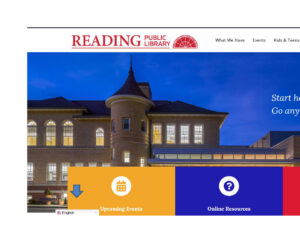
Canva Clean Up
To those of you who use our Canva account, it is time to clean it up. Please go through the images, including QR Codes and either move the images to a specific folder (click the three dots on the right of the image and move to a folder.), or delete it.
When uploading a QR code, make sure to name it, especially if you plan to reuse the code.
Questions? Ask Michelle or Desiree.
Some Printing Instructions
Here are some of the instructions for the new printing software.
Wireless Printing. I’ve left copies of the instructions at the print release stations, at Borrower Services, Ground Floor and R and R desks. They are also available under Instructions on the Intranet. Read through them and practice printing!
To override printing, two staff laptops have the TBS staff printing portal software loaded on them. There is one at the Borrower Services desk and one in the white cabinet in the Reference Office, labeled Staff Printing Portal.
Video instructions to use the staff portal are here.
Video instructions to print are here.
Payment/Kiosk information is here. The network upgrade seems to have slowed the payment service down and may not be fixed until Monday.
I know that we’ve had a lot of changes over the past week and I appreciate your patience as we all learn together.